Collaboration Loops
Turning a static meeting document into a living collaboration space, shared between a service team and their customers.
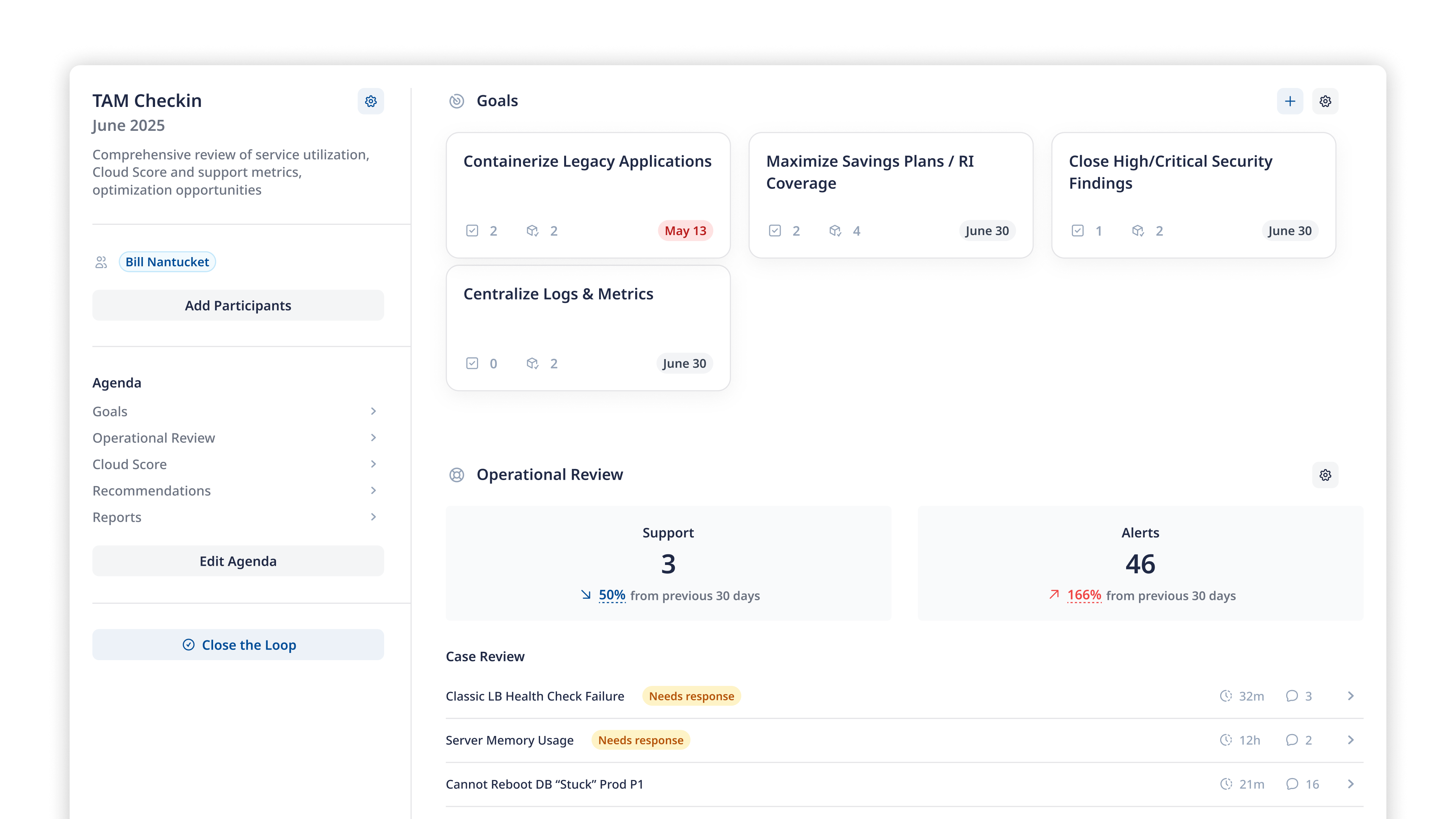
Mission Cloud’s Technical Account Managers spent up to five hours rebuilding the same slide deck for each customer, every month. I spent 14 months replacing it with Collaboration Loops, a feature inside Mission Control, Mission’s web app for customers to manage their services and view insights about their AWS environments. I was the sole designer, working with one PM, nine engineers, and stakeholders across the company. From customer interviews in discovery to writing production React with engineers, I was involved in every phase.
The Problem
TAMs run recurring check-ins each month across 30+ customers each. Every meeting meant pulling data from multiple third-party tools and manually assembling a slide deck or Google Doc. Then they’d do it all again the next month.
Customers had no way to see what was discussed before. If a TAM transitioned a customer to a colleague, the history didn’t follow. New hires on either side started from zero. The information and decisions from those meetings weren’t tracked in a way anyone else at Mission, or on the customer’s end, could get to.
The tools that existed treated these meetings as one-sided reporting events. What we needed was a space where both Mission’s team and their customers could prepare, contribute, and look back together.
Problem StatementDelivering Mission services involves coordination across many teams, tools, and touchpoints.
Today, key conversations and context are often spread out across siloed systems, making it harder for both customers and internal teams to stay aligned.
Without a central place to manage collaboration, it becomes challenging to maintain clarity and drive consistent follow-through.
The Design Challenge
The obvious solution was a better template. A nicer slide deck, a structured doc, something easier to fill out before each meeting. We deliberately didn’t build that.
A document is static. It captures a moment, then goes stale. What we needed was something that stayed alive between meetings, pulling fresh data from multiple systems, preserving what was decided last time, and giving customers a reason to come back and actually contribute. Add topics to the agenda before a meeting. Approve recommendations themselves. Make the space theirs too, not just something they’re invited to view.
That meant solving for several constraints at once.
The space had to stay up to date between meetings without anyone manually updating it.
It had to capture what was true at the time of each conversation so nothing got rewritten in hindsight.
Two audiences with fundamentally different needs, sharing the same view, without feeling like two products stitched together.
Discovery
We started with workshops across internal teams and customers to understand what kept surfacing. The same problem came up in every conversation. Check-in prep was painful, the artifacts could be outdated if a meeting shifted, and the information from those conversations was effectively lost. Buried in an email thread, locked in one person’s Google Drive, inaccessible to anyone who wasn’t in the room.
I dug into the two-sided nature of the problem.

Goal
- Confidence in their AWS environment
- Fewer surprises
Pain
“Every meeting starts from zero”
Technical Account Manager
Goal
- Proactive cloud health reviews
- building long term trust
Pain
“I rebuild the same slide deck every month.”
Customer Success Manager
Goal
- Align on goals
- Drive service adoption
Pain
“I can never find what we agreed to last quarter”
Finding patterns
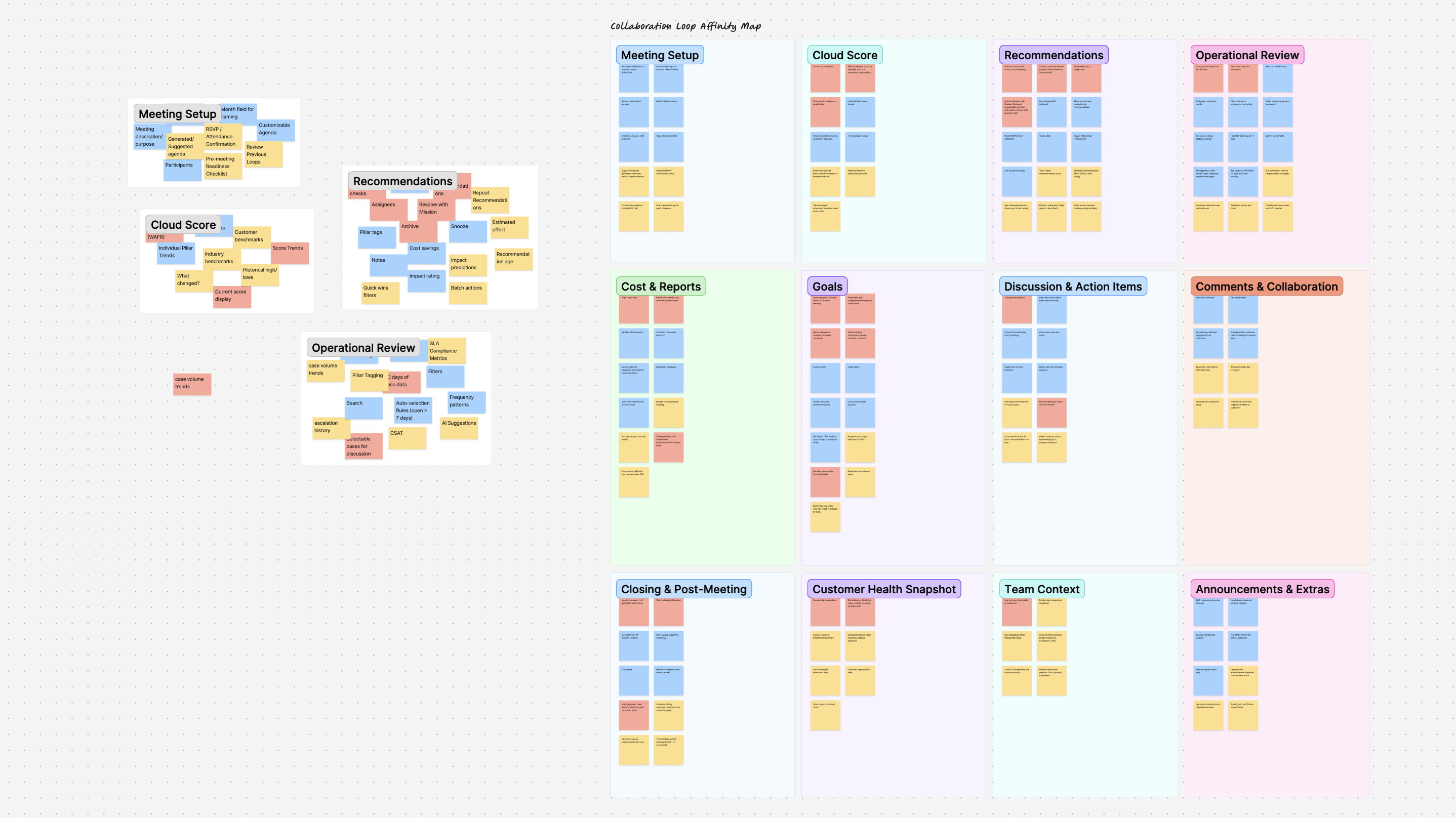
I collected 18 meeting artifacts from TAMs and CSMs. The actual slide decks, Google Docs, and handwritten notes they were already using. Then I affinity mapped them, pulling apart the recurring building blocks that showed up across every customer relationship.
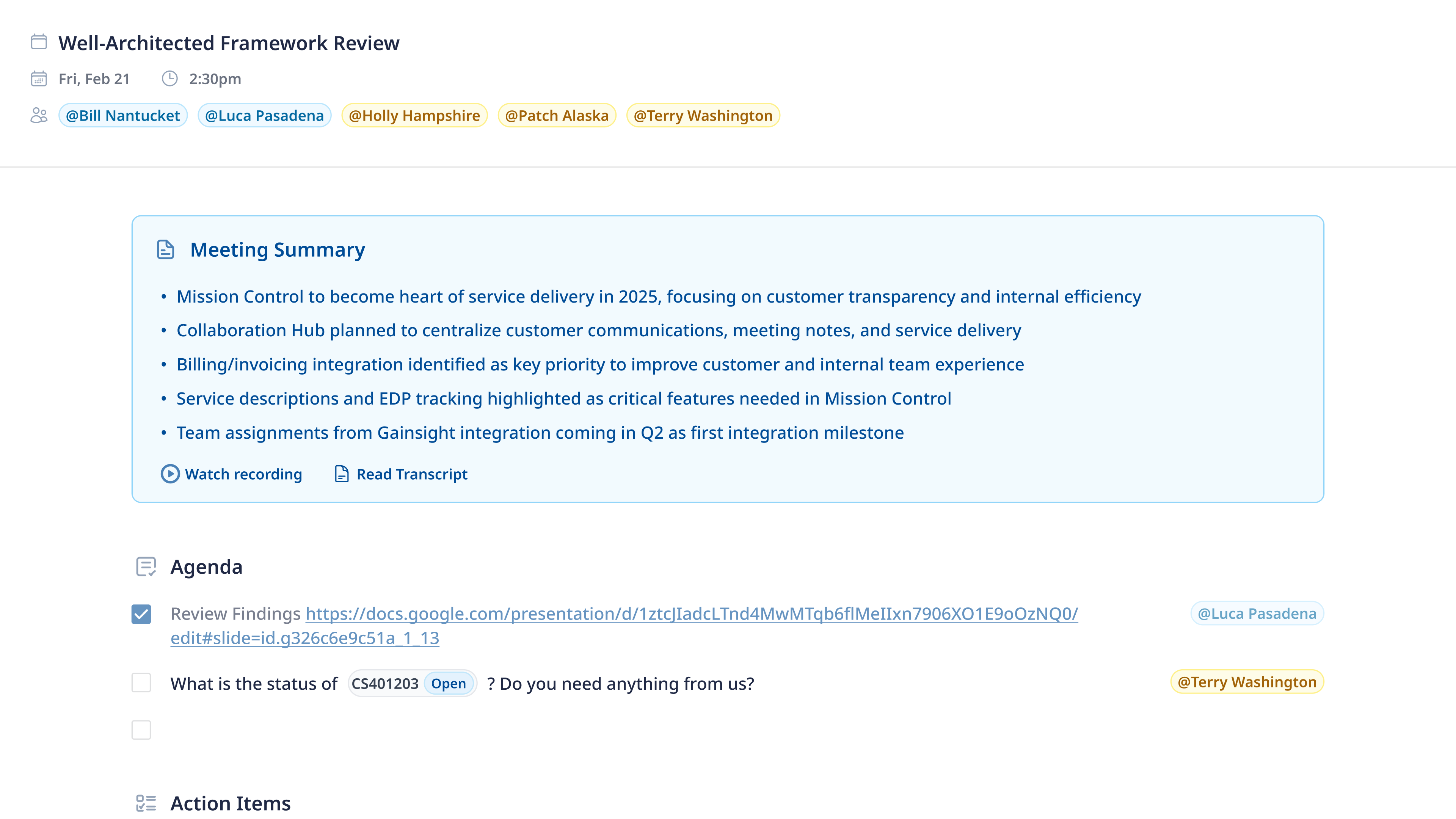
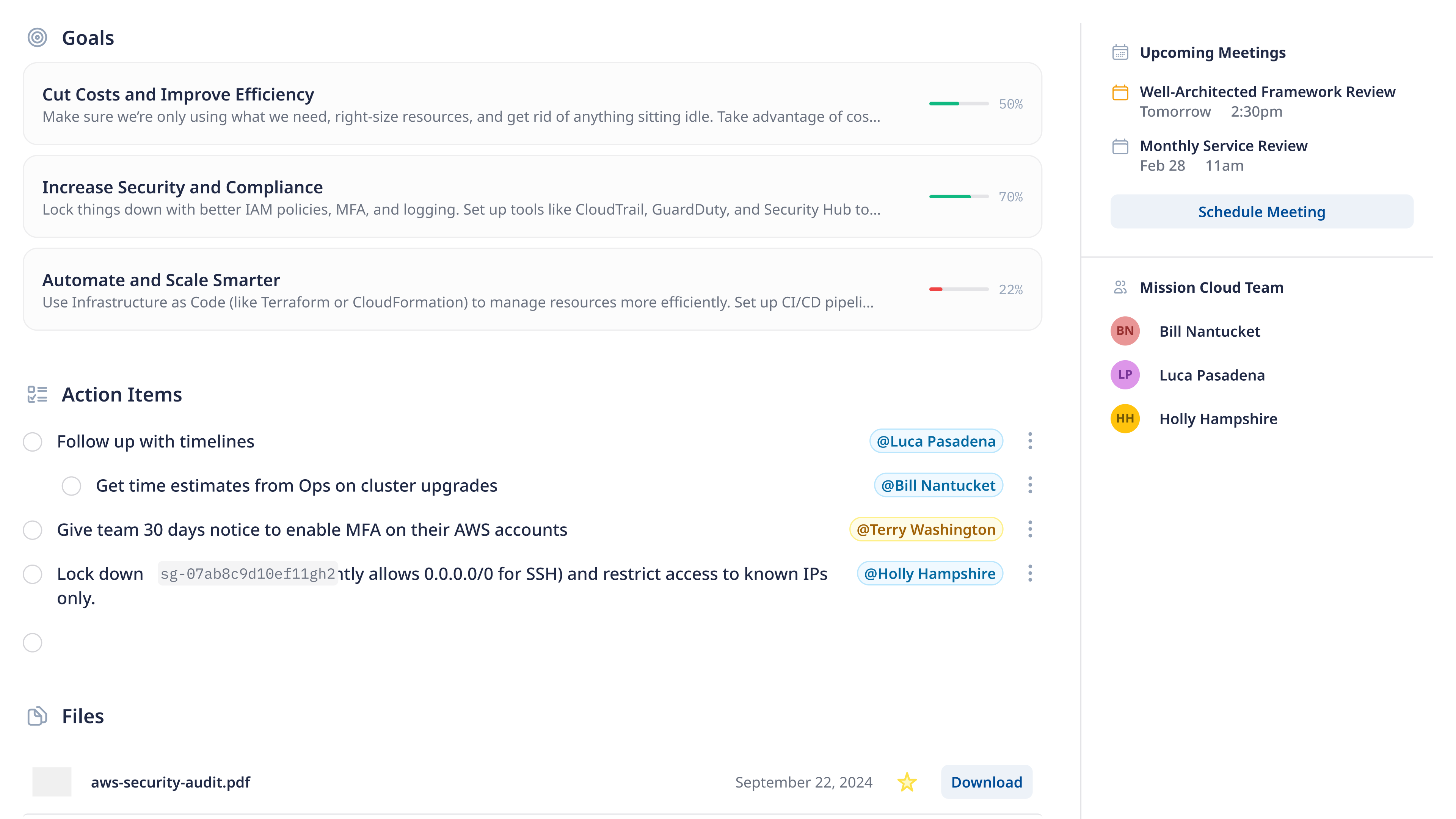
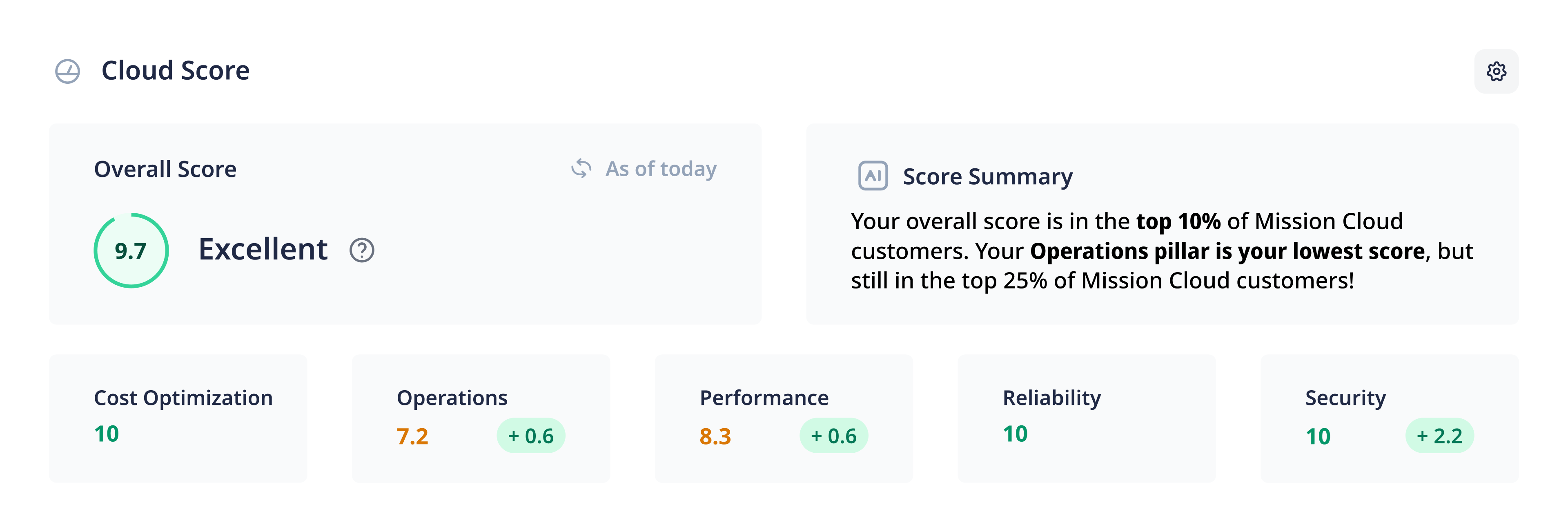
Those building blocks became the configurable sections in each loop. Cloud Score trends, open recommendations, case metrics, agenda items. The pattern was consistent enough to standardize but varied enough that rigid templates would fail. That is where the blueprint concept emerged. Structured enough to be useful out of the box, flexible enough that TAMs could tailor each loop to the customer relationship and tell the story they want.
Each TAM’s presentation is their own narrative of their customer’s AWS environment. They structure it however makes sense for that relationship. We support that.
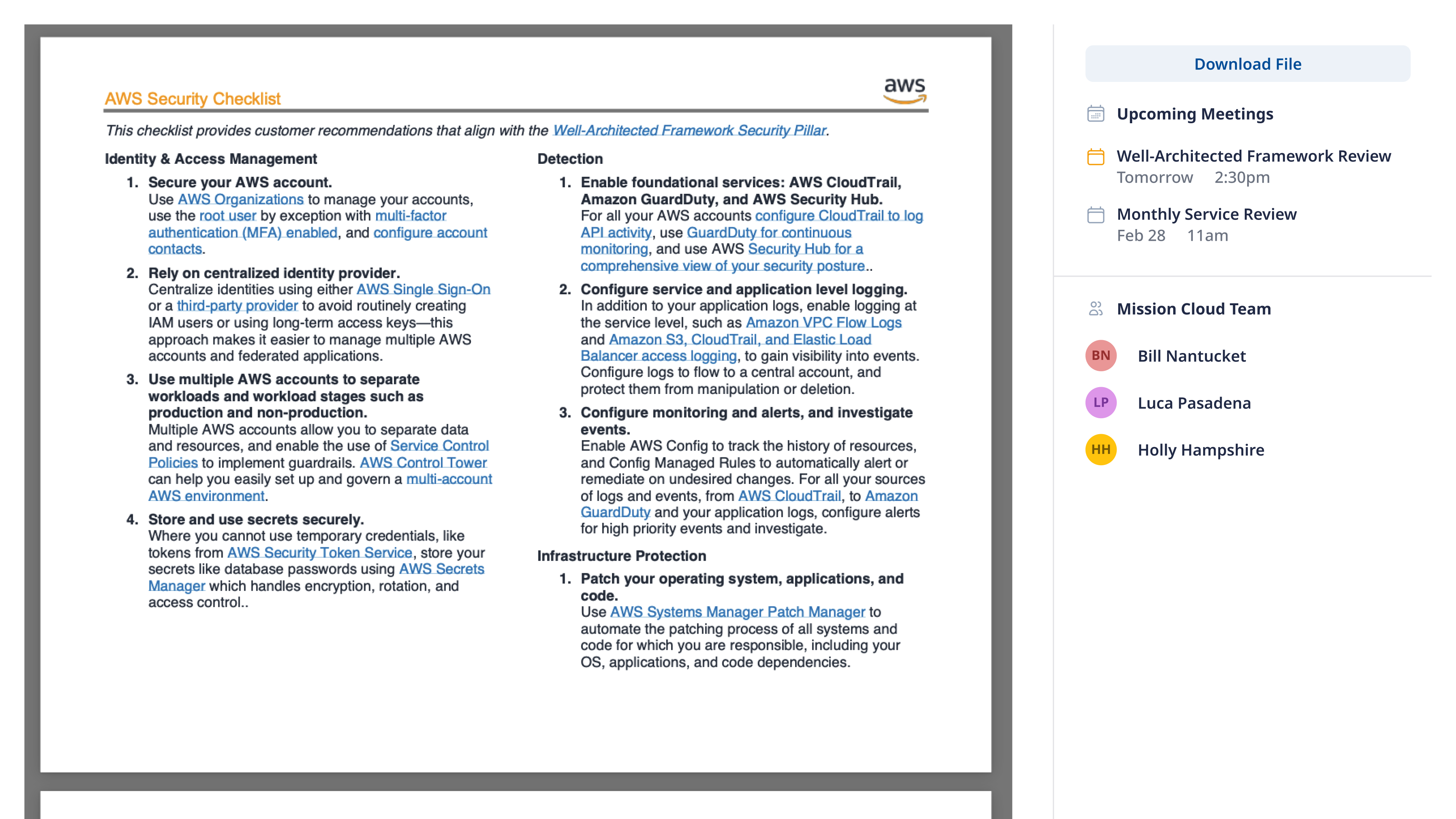
Early explorations of the loop structure, testing how the building blocks from discovery could be arranged into a reusable, configurable format.
The Product

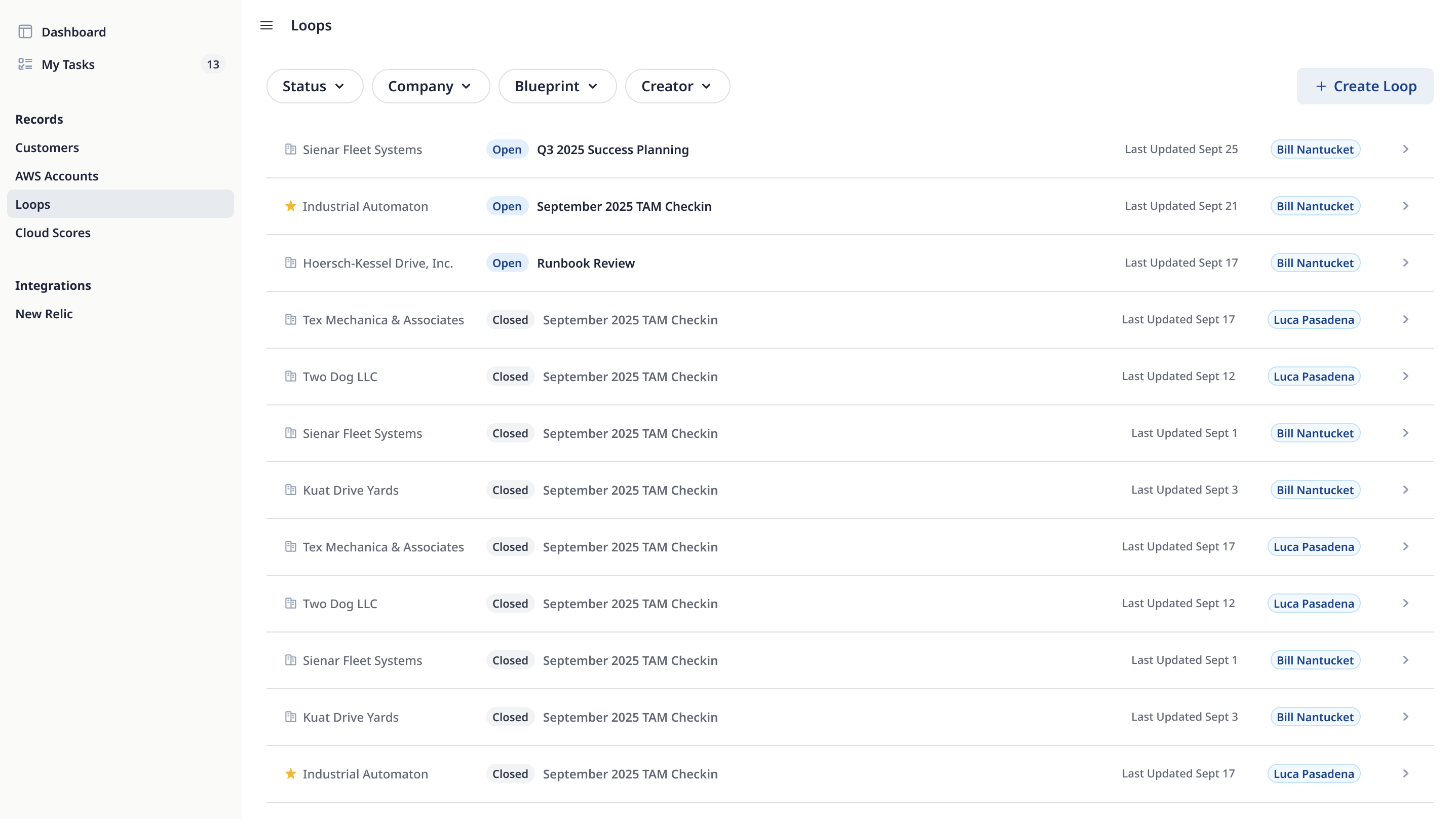
Key Decisions
Purpose-built blueprints with pre-loaded content and pre-wired data connections. Consistency across 30+ customers, faster onboarding than a blank canvas.
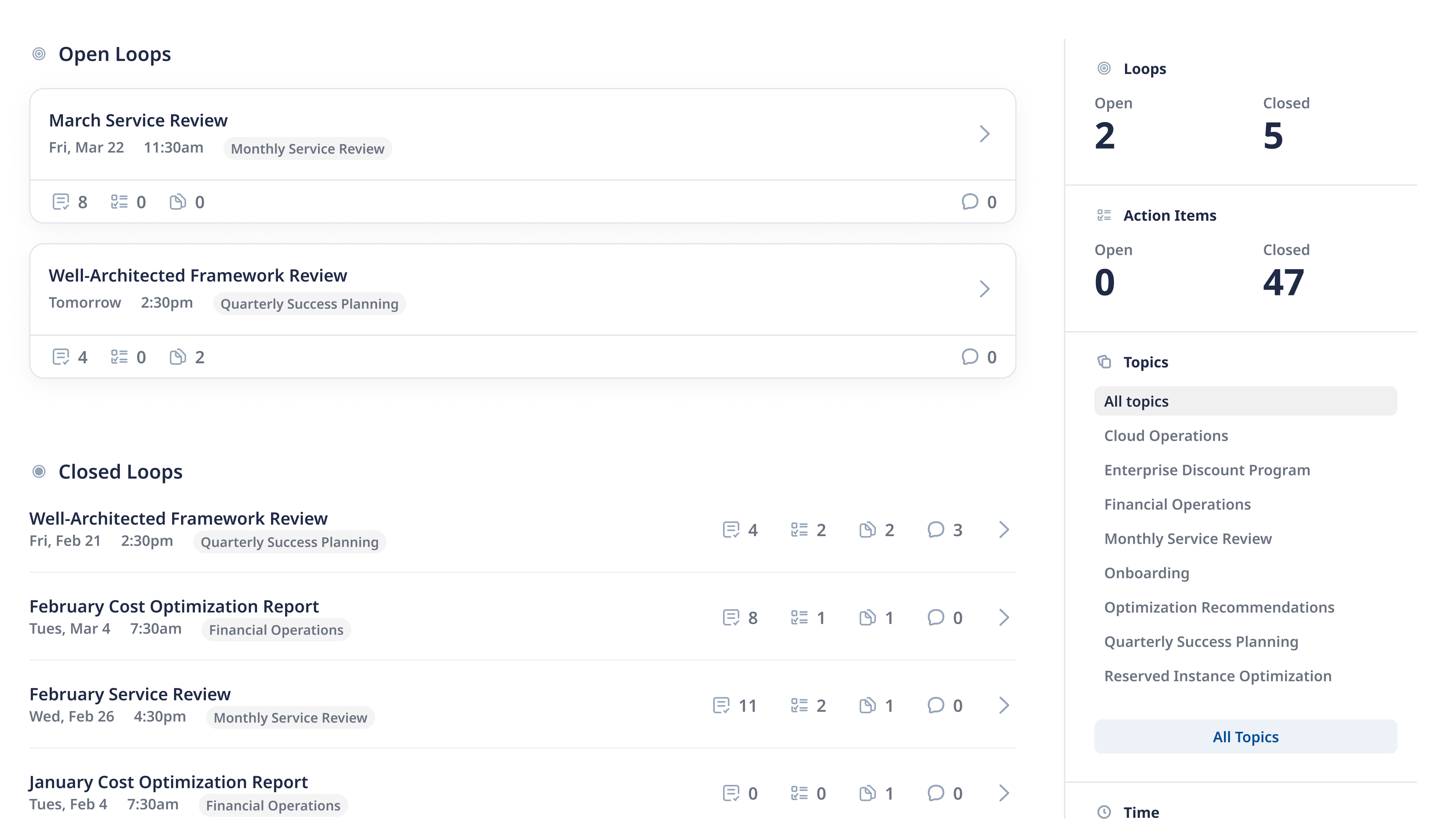
Widgets display current data while a loop is open, then snapshot when the meeting closes. You can see exactly what the environment looked like in February, not what it looks like today.
TAMs and customers see the same loop. Not a stripped-down customer version and a full internal one. That forced every element to be legible to both audiences. Harder to build, but it’s what makes the collaboration real.
Every widget supports comments, tagging, and notifications. Both sides can prepare before meetings and follow up after. We kept asking ourselves where we could add another moment of connection.
What I learned
One hammer, two nails
Midway through, my PM and I had a theory: we could collapse our three purpose-built blueprints into one flexible, general-purpose template. Easier to maintain, broader reach, obviously better on paper. It wasn’t. Reactions were room-temperature. The concept was minorly helpful to everyone and perfectly helpful to no one. We pivoted back to specialized, focused blueprints, then descoped further to just TAMs and CSMs. Those blueprints got infinitely better the moment we stopped trying to make them work for everyone else. Being mildly useful to a wide audience is worse than being deeply useful to a narrow one.
Designing for screen sharing
TAMs run customer meetings by sharing their screen. Loops would replace the content they’d historically pulled up, but the meeting format wasn’t going away. So the product had to be safe to present by default, which was harder than it sounds when TAMs have internal notes and admin actions the customer shouldn’t see.
I tried a two-view approach first, then tried pulling all loop management into a separate internal tool. Both created more surface area for mistakes or bounced TAMs between interfaces. Where I landed was simpler: one page that looks the same to everyone, with an actions dropdown on each widget. Same canvas, role-based actions. The safest private view is the one that doesn’t exist.
Every widget was its own project
When I sketched the first blueprint, I thought of widgets as containers. Standard rectangles holding standard data. They weren’t. Cloud Score is a live data pull with trend logic and inline approve/archive/snooze. The agenda is a free-form editor with reorderable sections and per-customer toggling. Some widgets create content, some display it, some make the user pick what to show. I thought I was designing one feature with five sections. I was actually designing five features that happened to live in one shell. A consistent surface can hide wildly different problems underneath.
Outcomes
The beta is still small, and I’m trying not to read too much into the numbers this early. But the customer signal has been strong and we’ve nearly doubled the size of the beta.
Technical Account ManagerBefore Loops, I had customers swear they never got the deck, or didn’t even know we’d talked about something. Now everything we discussed lives in one place. I’d hate to give that up.
The slide deck workflow is gone. The pattern works, and Mission’s already asking what else we can do with it. I’m in discovery on five more blueprint types for other service teams, and on enhancements coming back from beta feedback. More loops to close.