Design System
Led the design system initiative at a B Corp crowdfunding platform, consolidating fragmented style guides and building shared tools for designers and engineers.

YouCaring was a crowdfunding platform built around social good, helping people in need raise money. They were also a B Corp — a public benefit company — which made this work especially meaningful to me.
The challenge: Six fragmented style guide documents, inconsistent patterns, and no shared language between design and engineering.
What I built:
- 8 Colors, 46 Shades
- 14 Type Styles
- 10 Components, 5 Modules
- 2,000+ Responsive Functional CSS Classes
- 410 Commits
Interface Inventory
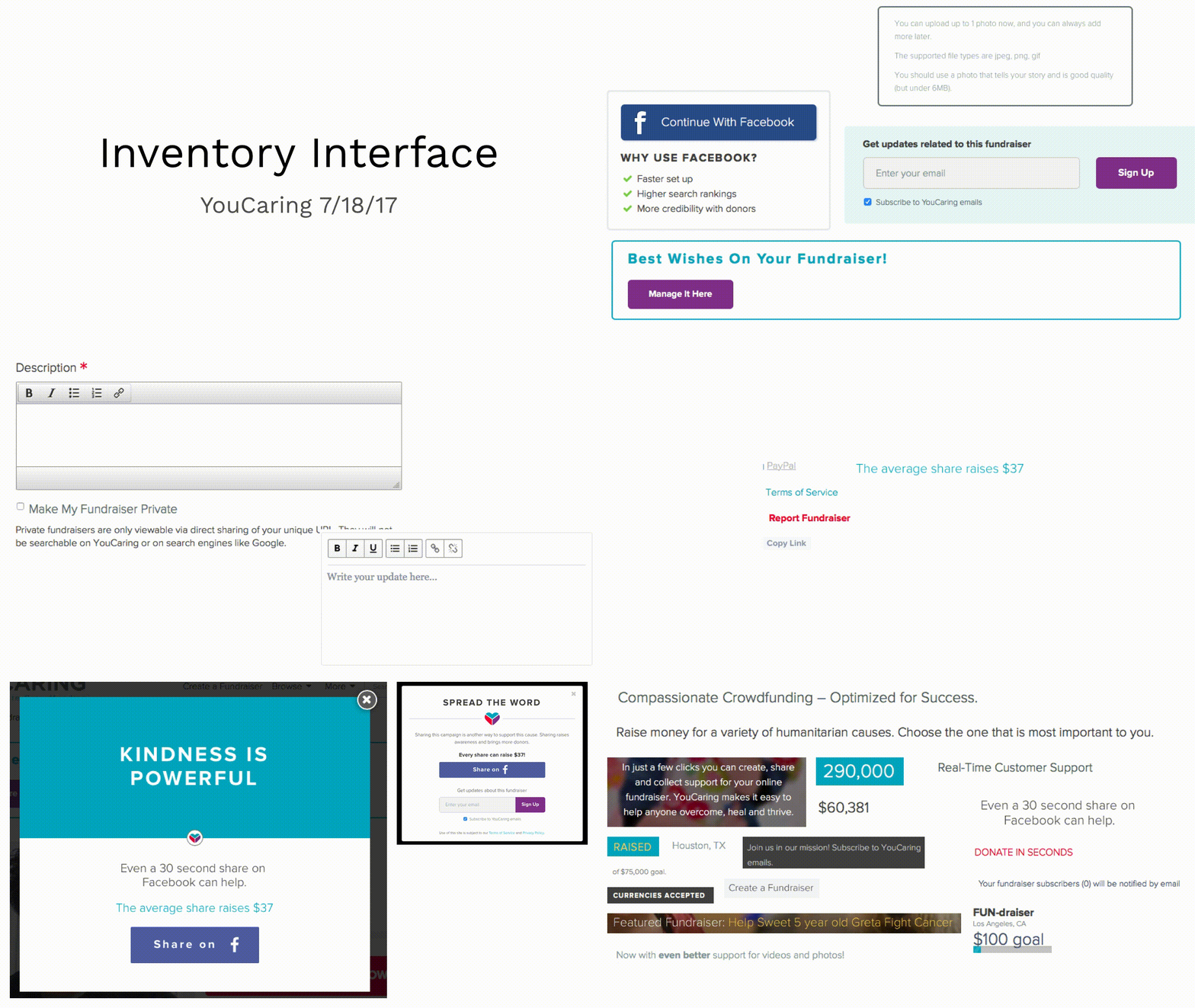

The first thing I did was make an interface inventory. We needed to baseline where we’re at and truly understand the scope of the situation. Making one of these makes it very apparent where the biggest wins can be made.
Documentation Site
We need a place for all the design patterns and documentation to live. I dove into creating a public website that the design system could live at.


I started by making a mockup of the functionality I wanted the site to have. I wanted to be able to explain a component, show variations, explain why a variation would be used, have a live example using actual code, and implementation details for both designers and engineers to use the component. We took this mockup and interviewed designers and engineers to make sure it met needs and iterated.
From there, I started to build this page using static site generators and an example React component I made to use as a placeholder. I tried out a few to see which one would be the easiest to update. I tried Jekyll, Assemble, Metalsmith, Gatsby, and a few others. The one that I moved forward with was Catalog. Since I was going to be building React components, it integrates really well with those so I was able to use the same code to display and render code examples.
Sketch Library
Now that the code end was buttoned up, I needed to make sure our designers were able to use the system. I initially created a sticker sheet with Sketch of the design components and kept it in the design teams shared Dropbox folder. This worked alright but I wanted something better. Right around this time there were a lot of apps and plugins coming out that offered some sort of syncing symbol library. I tried out a few but Invision’s Sketch plugin called Craft Library seemed to be the most established at the time. Towards the end of the year, Sketch released a symbol library feature of their own, so I ported all the symbols I had made by then over to their native solution so that no extra plugins need to be installed to get to the Design System.
Roadmap

I merged the interface inventory with the product and engineering roadmaps to create a prioritized list of components that had the highest impact and would fall naturally in line with existing projects. I kept this document updated every two weeks so that I knew my own progress on the system.
I stole this idea from Nathan Curtis and used some emojis for labels. I made a Google Sheet template if anyone else wants to use it.
Component Examples


